
Tutorial: Easily Transform your Blog into a Movies or Gaming Reviews Website!
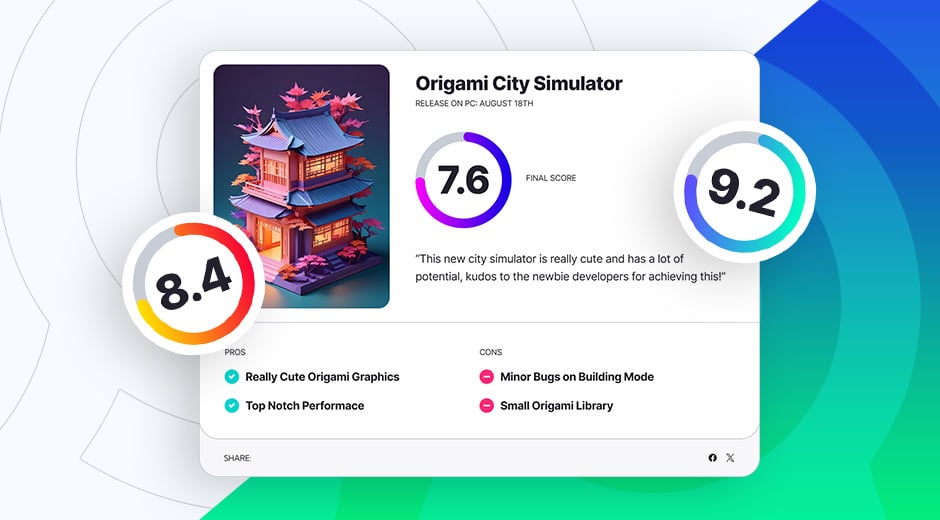
Do you want to create your own rating website for reviewing movies, tv shows or games? You can easily achieve this using the free OrokuBlocks plugin by following this tutorial. Using the Scoring Rating widget you can easily add a scoring box a the bottom or top of your blog post reviews for a quick overview of the game, movie or tv show rating for people to see, along with the main pros and cons and a quick summary of the review.
What you'll Need
To build your own ratings website you'll need:
- OrokuBlocks Plugin
- Elementor Plugin
- A Blog/Magazine Theme of your Choosing
Make sure that you have everything installed and ready before continuing.
Creating your Post & Scoring Rating
Once you have your theme installed, just go and write your movie or gaming review! Go to your WordPress dashboard and go to Post > Add Post.
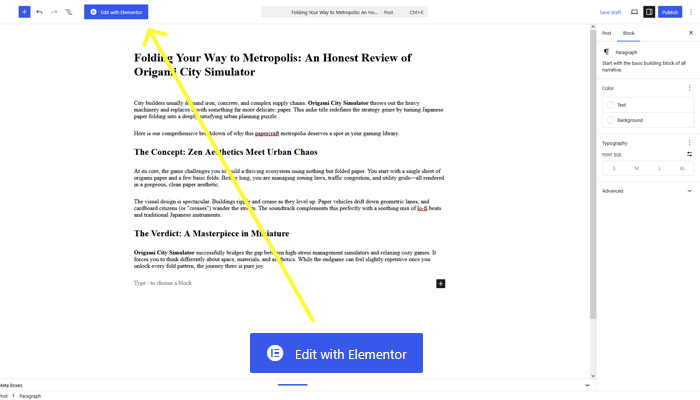
After you finish writing your review, it's time to insert the scoring rating widget. Click on the Edit with Elementor button on top of the dashboard and it will lead you to the blog page.
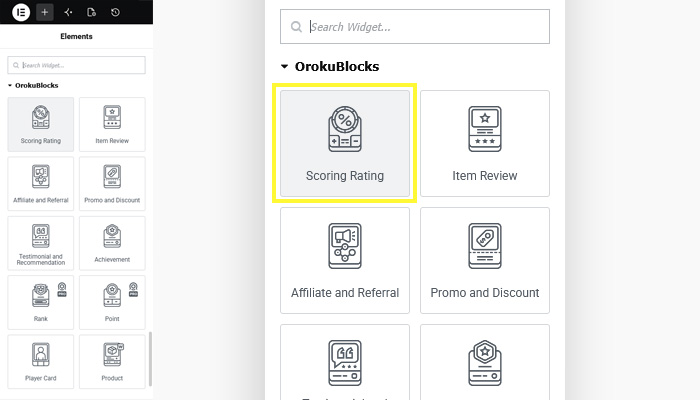
In the blog page, you'll see on the left side the Elementor widgets panel. Once you are there, scroll and look for the OrokuBlocks widgets, you'll see the Scoring Rating one.
Drag it to the end of your post and you'll see at the side panel the Edit Scoring Rating options. For this case, we'll be using the Scoring Rating V2, but you can choose the one that you like the most!
Customizing the Widget
Now comes the fun part! Edit the widget to showcase all the info you need! You can edit things like title, give the title an URL to link to, subtitle, small summary, photo, score rating (you can choose round numbers or decimals), adding pros and cons, and on the style tab, you can even control the color or gradients that the progress bar has.
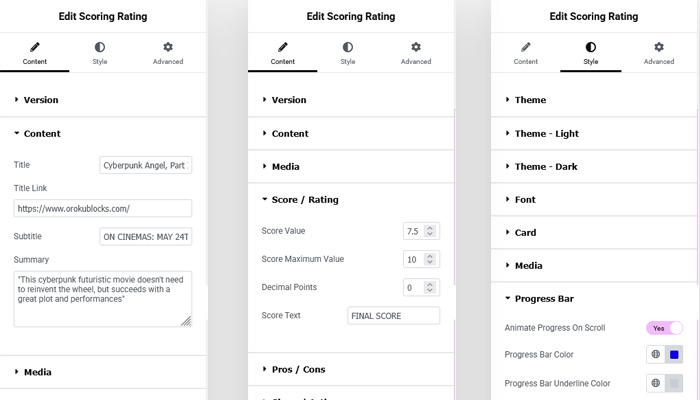
Have fun customizing the widget in order to make it match your website's style! Once you're done click Publish and you're done! You'll get something like this:
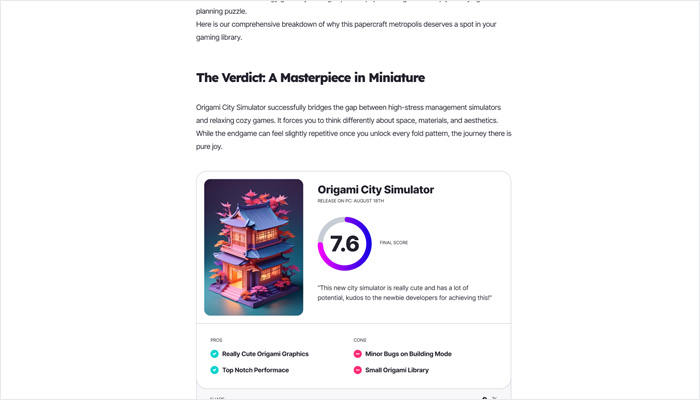
And there you have it! An awesome and cool looking scoring rating card! All that's there left for you is to create you own and play with all the other options that the widget offers so you can customize it the way you like or need it. Our scoring rating card width is of 700px, so you can fit 2 of them on a 1420px grid of 12 columns of 100px with 20px gutter.
So you can get a better sense of it, here's a live example of how the Scoring Rating card looks like at the bottom of a blog post:

OrokuBlocks Widgets
FOR WORDPRESS AND ELEMENTOR
FINAL SCORE
“With a great variety of widgets and incredible design, OrokuBlocks is a must for any WordPress developer!”
PROS
Dedicated Widget Design
Pro Figma Badge Illustrations!
CONS
Too Awesome ;)
SHARE:
Follow Us for Updates!
If you enjoy our plugin or themes, we please ask you to follow our X/Twitter account and leave us a like, a comment or a retweet! It will really help us spread the word and connect with more people in order to keep supporting and updating our plugin and themes. Also, we'll use the account to let you know about updates, upcoming themes, plugins and more! Thanks, and we hope you enjoy our plugins and themes!.