
Tutorial: Create a Gamification Badge Card With Elementor & GamiPress
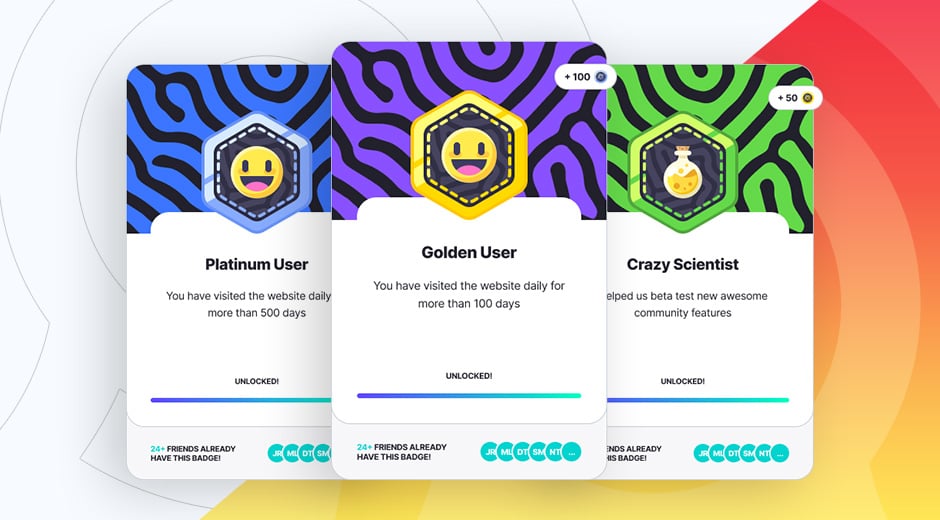
Do you want to make your website or community more engaging for your users? Then add some gamification elements to it! In this tutorial you are going to learn how to create your own gamification badge card using the free OrokuBlocks plugin. This is perfect for quickly showcasing your users gamification achievements in an cool looking way. The best thing of all, is that the achievement card widget connects directly with the GamiPress plugin, so it will automatically import all your achievement data in just a few seconds!.
What you'll Need
To build your gamification cards you'll need:
Make sure that you have everything installed and ready before continuing.
Creating your Achievement & Points
Once you have the GamiPress plugin installed, it's time to create your achievement and point! The achievement will be the badge users on your site will unlock after completing some tasks, and the point will be what people earn after unlocking the badge or after performing a task. This card displays the number of points earned by unlocking the badge on the top right corner, but if you want, for this specific card you can use only the achievements function. In that case, you can skip the points part of this tutorial.
First of all, go to to GamiPress > Achievement Types and create your own with all the details you want. In this case, we're going to create the Badges type. If you want more information about creating the achievement types and the achievement themselves, check the GamiPress video on creating an achievement type.
If you would like to also create a points type, go to to GamiPress > Points Types and create your own. In this case, we're going to create the Platinum Coin type. If you want more information about creating the points types, check the GamiPress video on creating a points type.
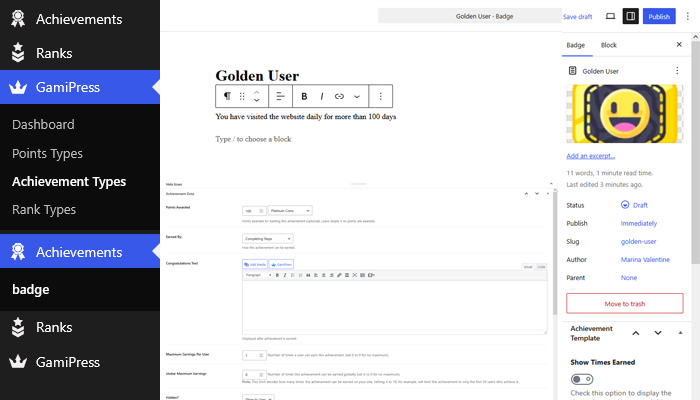
Once you have your achievement type and the point type ready, go to the achievement type (in this case badge) and start creating your own ones! In this case, we are creating the Golden User badge. Complete all the information you need, in this case, we're adding the name and description, the badge image, the points earned and the completing steps for users to unlock the badge.
Once you have the achievement published you are ready to create the widget!
Creating the Widget
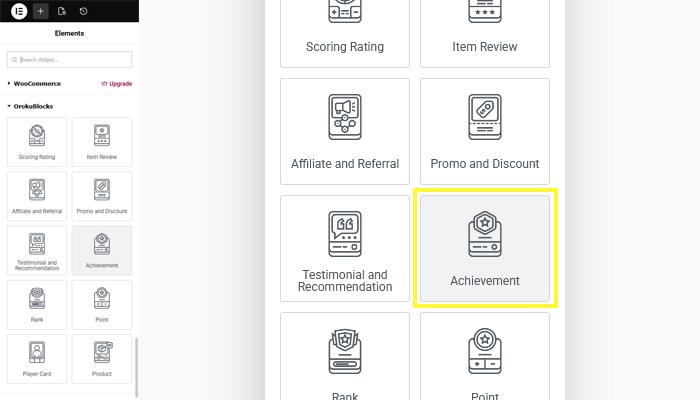
Go to the page where you wish to create your player card and open the Elementor widgets panel. Once you are there, scroll and look for the OrokuBlocks widgets, you'll see the Achivement one. Drag it to your page and you'll see at the side panel the Edit Achievement options. Don't worry if nothing appears in the widget box, as you'll need to configure it first so all the data shows.
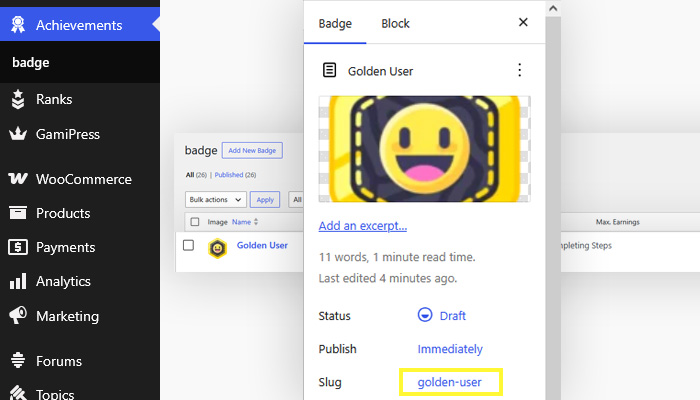
In the Edit Achievement you'll find all options to customize the widget. First of all, select the widget version that you would like to work as a base. You can see all versions here. Now go to the Achievement option, here you'll be asked for the name or slug. To find the achievement slug, from your WordPress backend, go to Achievements and open the achievement you want to find the slug of. Once open, consult the Slug row in the right hand side panel.
Once you enter the achievement slug, the plugin will fill your card with all the details from the badges profile! Now you just have to customize it the way you like it! You can use it this way, but to make it look like our example, Achievement V1, the next step is to add cover image. You'll find the option inside Media. In this case we added a purple background with squiggly texture. If you have a community, at the bottom of the badge it will show a sample of users that have already unlocked that same badge.
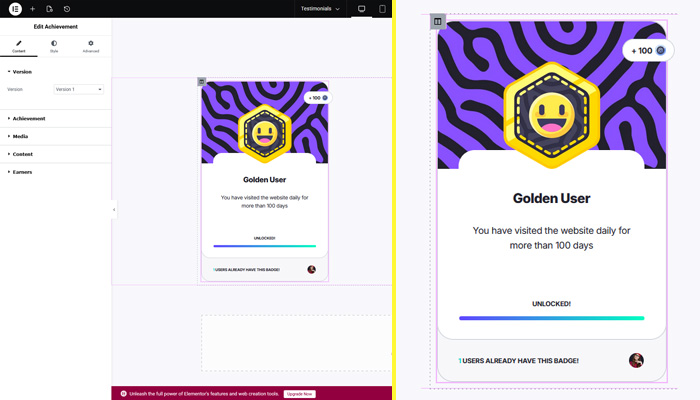
And there you have it! An awesome and cool looking gamification badge card! All that's there left for you is to create your own and play with all the other options that the widget offers so you can customize it the way you like. Our example badge card has a width of 340px, so you can fit 4 of them on a 1420px grid of 12 columns of 100px with 20px gutter.
OrokuBlocks Badges Figma File Included! (Pro Version)

Follow Us for Updates!
If you enjoy our plugin or themes, we please ask you to follow our X/Twitter account and leave us a like, a comment or a retweet! It will really help us spread the word and connect with more people in order to keep supporting and updating our plugin and themes. Also, we'll use the account to let you know about updates, upcoming themes, plugins and more! Thanks, and we hope you enjoy our plugins and themes!.